Search Focus Are A SEO Company That Can Increase Your Online Sales Revenue Through Driving Qualified Targeted Visitors To Your Website
Why AI Success Depends on Real-Time Analytics
AI looks impressive when it predicts, recommends and automates. It becomes profitable when those decisions are measured while they are still happening. That is why real-time analytics matters: it turns AI from a clever system into a monitored, accountable part of the business.
When working on SEO campaigns for UK businesses, I see the same pattern again and again. Teams collect data, build dashboards, then review results days or weeks later. By then, the advert has overspent, the lead source has changed, or the website problem has already damaged enquiries. AI makes that delay more expensive because it can act quickly at scale.
Real-time analytics does not mean watching every click with panic in your eyes (nobody needs that). It means having fresh, trustworthy signals available quickly enough to improve decisions, spot problems and protect customers. For a freelancer, agency or local business, the prize is simple: better judgement, fewer wasted hours and faster action when something changes.
Why real-time analytics changes AI outcomes
AI systems learn from patterns, but business conditions rarely sit still. Search demand moves. Competitors alter prices. Stock levels change. Customers behave differently on payday, during bad weather, or after local news. If the data feeding your AI is stale, the output can be confident and wrong.
Real-time analytics helps close the gap between what the model thinks is happening and what customers are doing now. That gap is often where money leaks away. A recommendation engine may promote items people no longer want. A chatbot may keep answering from old service information. A bid strategy may chase traffic that no longer converts.
The strongest AI setups I encounter are not always the most complex. They are the ones with clean events, clear ownership, quick alerts and regular review. Boring? Slightly. Effective? Very.
The data loop behind useful AI
A useful AI workflow has four parts: collection, processing, decision and feedback. Analytics sits across all four. It records what happened, checks whether the AI response worked, and feeds that evidence back into future decisions.
For example, an AI tool might suggest which service page a visitor should see next. Real-time analytics can show whether that suggestion led to a call, form submission, abandoned visit or confused journey. Without that feedback, the tool is guessing from incomplete evidence.
Over the past 24 years, I have found that website improvements work best when measurement is designed before changes go live. Retrofitting analytics afterwards usually creates messy data, missed events and arguments about what success means. Define the action first. Then measure it.
Real-time analytics versus traditional reporting
Traditional reports still have value. Monthly and weekly reviews show trends, seasonality and strategic progress. Real-time analytics is different. It is built for active decisions rather than retrospective commentary.
| Area | Traditional reporting | Real-time analytics |
|---|---|---|
| Typical delay | Days or weeks | Seconds, minutes or near-live |
| Best use | Strategy review and long-term planning | Operational decisions and immediate intervention |
| Main risk | Problems are found late | Teams overreact to noisy data |
| AI impact | Explains past performance | Shapes current model behaviour |
Both are needed. The mistake is expecting one to do the job of the other. I would not judge an annual content strategy from ten minutes of live data, but I also would not wait a month to investigate a sudden collapse in enquiry tracking.
Preparation guide before connecting AI to live data
What to check first
Before connecting tools, check the basics. Weak inputs create weak automation, however polished the dashboard looks.
- Your main conversion actions: calls, forms, bookings, sales and email clicks
- Analytics consent settings and whether tracking respects UK privacy expectations
- Event names, so every tool uses consistent language
- CRM or inbox processes, because leads must be handled after capture
- Page speed, uptime and mobile usability
Safety considerations
Real-time data can expose personal information if it is collected carelessly. Keep personally identifiable details out of dashboards unless there is a lawful reason and suitable protection. For UK organisations, privacy rules and consent should be checked against current ICO guidance, even though I am not giving legal advice here.
Tools and materials
You do not need an enormous stack to start. In practical terms, most small businesses need the following:

- A reliable analytics platform with event tracking
- Consent management that matches your data use
- Access to the website or tag manager
- A clear list of conversion goals
- A dashboard or alerting tool
- Someone responsible for checking alerts
Preparation steps
Map the customer journey before touching settings. Write down where a visitor arrives, what they need to know, which action counts as value, and where the data is stored. Then test one journey yourself on mobile and desktop. Small gaps become big problems when AI uses them automatically.
Main instructions for a dependable real-time AI setup
Start small. A tightly measured journey beats a sprawling system nobody trusts. The approach I normally recommend is below.
- Choose one AI use case, such as lead scoring, product recommendations, support routing or content personalisation.
- Define success in plain language. A call from a qualified local customer is clearer than engagement.
- Track the events that prove progress towards that outcome.
- Set freshness expectations. Some decisions need seconds; others only need hourly updates.
- Create alert thresholds for unusual drops, spikes or missing data.
- Review false alarms weekly, because noisy alerts are ignored quickly.
- Document ownership. Someone must know who fixes tracking, content, CRM or website issues.
For WordPress websites, pay close attention to forms, click-to-call buttons, cookie banners and page builder templates. A common issue I see on business websites is that a template change breaks tracking across several service pages at once. The front end looks fine. The data quietly fails.
Where real-time analytics improves AI fastest
Some areas benefit sooner than others. Prioritise places where quick feedback can prevent waste or improve customer experience.
Lead scoring and enquiry quality
AI lead scoring can help rank enquiries, but only if the score reflects reality. Real-time analytics can compare source, landing page, form fields and subsequent actions. If high-scoring leads never answer the phone, the scoring logic needs attention.
Content recommendations
Content personalisation should reduce friction, not hide useful information. Track whether suggested pages create deeper journeys or send users in circles. From reviewing and improving websites over many years, I have seen businesses achieve better results when recommendations support clear navigation rather than replace it.
Paid search and budget control
AI bidding tools react quickly, but real-time analytics helps confirm whether paid traffic is turning into genuine enquiries. Watch spend, conversion quality and broken landing pages. Fast checks matter because wasted budget can build up before a weekly review catches it.
Chatbots and support automation
Chatbots need live feedback on failed answers, handover requests and customer frustration. A rising handover rate may mean the bot is facing questions it cannot answer, or that your service information is unclear. Fix the content source before blaming the bot.
Common problems and the quickest fixes
Real-time systems fail in predictable ways. The key is not to panic; separate data problems from business problems before changing AI rules.
| Problem | Likely cause | Fastest solution |
|---|---|---|
| Tracking suddenly drops to zero | Broken tag, consent change or form update | Test the event manually and restore the tag |
| AI gives odd recommendations | Stale data or changed customer behaviour | Pause automation and review recent inputs |
| Dashboard shows conflicting numbers | Different attribution windows or event names | Agree one source of truth |
| Too many alerts | Thresholds are too sensitive | Group alerts and raise trigger levels |
Problem: missing or misleading data
This is the fault I would investigate first. It usually happens because a website change removed a tag, a cookie banner blocked events, or two tools counted the same action differently.
Fastest solution: test the conversion journey yourself and check whether the event fires at each step. If it fails, roll back the latest tracking change or restore the previous tag setup.
To fix it properly, document event names, remove duplicate tags, and test after every form, plugin or template update. Signs of a more serious problem include missing revenue data, repeated consent errors or leads appearing in the inbox but not in analytics. Prevent repeats with a monthly tracking check and a simple change log.
Problem: AI reacts to noise
Live data can be messy. A sudden spike may be a genuine trend, a bot crawl, a campaign launch or one large customer. If AI treats every wobble as truth, it may make poor changes.
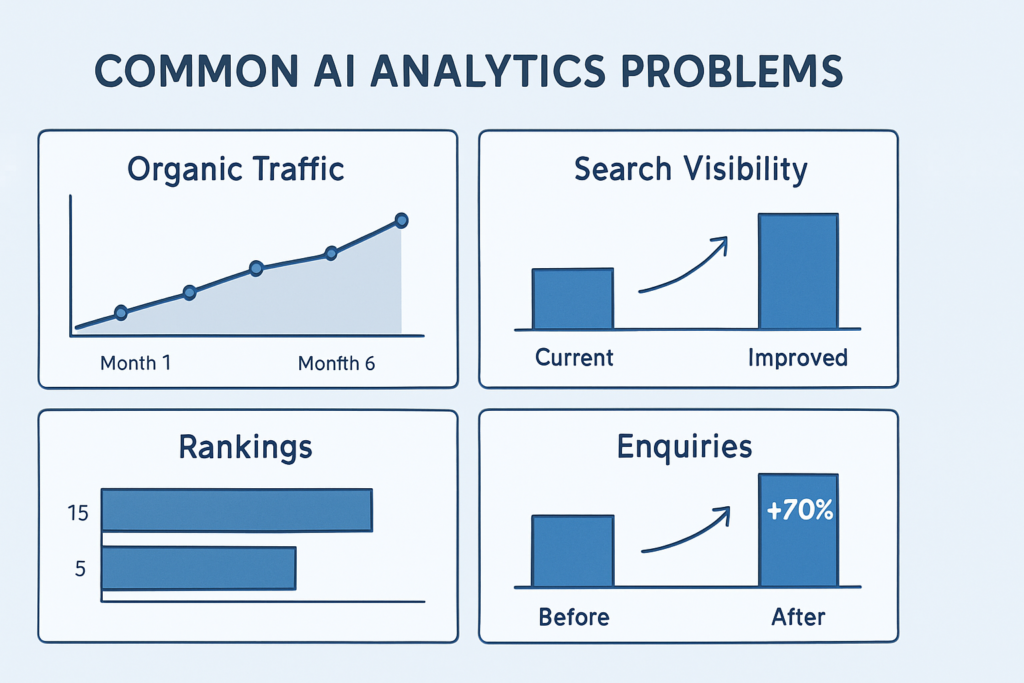
Fastest solution: add guardrails. Require enough data before action, compare against normal ranges, and keep human approval for expensive decisions. Fix the issue by filtering obvious bot traffic, segmenting by channel and using rolling averages where appropriate.
Warning signs include constant bid changes, personalised content shifting too often, or alerts that nobody trusts. Prevention means better thresholds, better segmentation and calmer decision rules.
Choosing the right real-time metrics
Not every metric deserves live attention. Page views can be useful, but they rarely prove commercial value on their own. The first area I would check is whether your metrics connect to enquiries, sales, bookings or retained customers.
For a local service business, live call clicks, completed forms, booking starts and failed submissions are usually more useful than broad engagement numbers. For ecommerce, basket errors, payment failures, stock changes and revenue by channel deserve attention. For content-led sites, newsletter sign-ups, qualified enquiries and assisted conversions may matter more than raw traffic.
A practical metric priority list
- Revenue or qualified enquiry events
- Failed conversion events, such as form errors
- Traffic source and campaign quality
- AI decision outcomes, including accepted and rejected suggestions
- Customer service handovers or complaints
- Data freshness, missing events and tag health
Keep the list short at first. If everything is urgent, nothing is urgent. What tends to work best is a dashboard that shows only the numbers someone can act on today.
Data quality, privacy and trust
AI success depends on trust in both the output and the measurement. If staff doubt the data, they stop using it. If customers feel tracked unfairly, the damage is bigger than a missed conversion.
Use the minimum data needed for the decision. Avoid sending sensitive details into tools that do not need them. Check retention settings, access permissions and whether third-party tools match your own privacy promises. This is general guidance, not legal advice, and UK businesses should check current privacy obligations before changing data collection.
Governance without slowing everything down
Governance sounds heavy, but it can be simple. Decide who owns tracking, who approves AI changes, who reviews alerts and who can switch automation off. Put those names in a shared document. Then keep it current.
A more reliable approach is to let AI suggest changes while people approve high-risk actions. Low-risk actions, such as sorting content recommendations, may be suitable for automation sooner, provided the commercial risk is low and the outcome is reviewed regularly.
How to review AI performance without overreacting
Review live data in layers. First, check whether tracking is working. Second, compare the change with normal patterns for that day, channel and device. Third, look at the commercial result: did enquiries, sales or support costs actually move? If only one layer has changed, wait or investigate before allowing AI to make larger adjustments.
Practical decision criteria
Before expanding a real-time AI setup, ask these questions:
- Is the data accurate enough to influence money or customer experience?
- Can someone explain why the AI made a recommendation?
- Is there a safe way to pause or reverse the action?
- Are alerts assigned to a person, not a shared inbox nobody checks?
- Will the benefit justify the setup, maintenance and review time?
If the answer is no, improve the foundations first. In practical terms, many businesses gain more by fixing broken conversion tracking, slow pages or unclear service content before adding another AI layer.
Final thoughts
Real-time analytics is not valuable because it is fashionable. It is valuable because it helps AI stay connected to current customer behaviour, operational limits and commercial priorities. Used well, it gives business owners earlier warnings, clearer evidence and more control over automation.
The sensible route is measured progress: one use case, clean events, sensible alerts and regular human review. Results will vary depending on competition, traffic volume, website quality and the decisions being automated, but the principle remains consistent: AI performs better when it can see what is happening now, and when people understand the numbers behind its decisions clearly.